Live Screen Monitoring
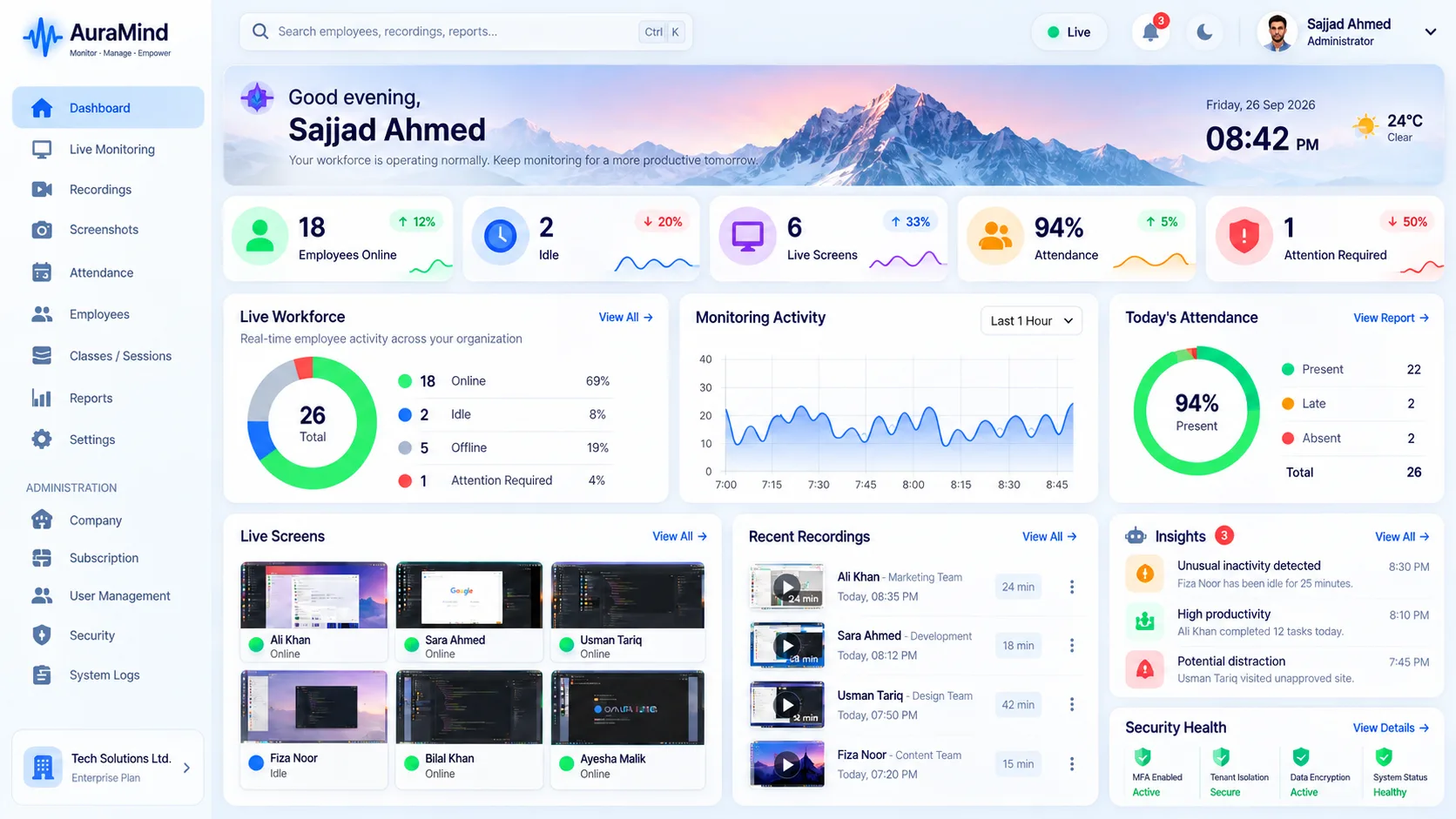
When a screenshot is not enough, live screen monitoring shows work in the moment. AuraMind PRO's Live Team Wall displays in-scope PCs as live tiles with status and foreground app, and managers can click through to a live screen view where policy permits.
Problems this solves
- Screenshots arrive too late to help in the moment
- Training and support need eyes on the actual screen, not a description
- Compliance checks need live evidence, not end-of-day reports
Key features
Live Team Wall
All in-scope PCs as live tiles with status and current foreground application.
Click-through live view
Open a single screen live when you need detail, with access controlled by permission.
Fast snapshots
Wall-active PCs capture frequent snapshots so the wall feels live, not stale.
Permission-gated access
Live screen is a Super-Admin / permitted-role capability, not open to everyone.
Benefits for managers and HR
- Help and train in the moment instead of after the shift
- Verify presence and work state instantly across a floor or remote team
- Reduce screenshot-review hours with exception-based live checks
Use cases
- Call-center and BPO floors, physical or remote
- Training and quality teams shadowing live work
- Compliance-sensitive operations needing live oversight
How AuraMind PRO approaches monitoring responsibly
AuraMind PRO is built for visibility without keyboard spying. It focuses on work signals — active time, applications and websites used for work, screenshots and live screen where permitted, attendance and workforce analytics — so managers can coach, remove blockers and protect the business without reading private keystrokes or personal messages. Deploy it transparently, tell employees what is collected and why, limit access by role, and review your local employment and privacy requirements before rollout.
Frequently asked questions
Is live screen monitoring intrusive?
It can be if used secretly or constantly. Use it transparently, limit who can view, and prefer exception-based checks over permanent watching.
Does live view replace screenshots?
No — live view is for the moment; screenshots and recordings create the reviewable record where your policy allows.
Related guides
Employee Screen Monitoring · Screenshot Monitoring
See AuraMind PRO on your own team
Tell us your team size and goals. We will configure the right seats, modules and secure access for a guided evaluation.
Request access → Explore employee monitoring